Help
How to go from a TikTok link to a draft in your TikTok inbox.
Start in five minutes
- 1Sign in with Google. Press Continue with Google on the sign-in page.
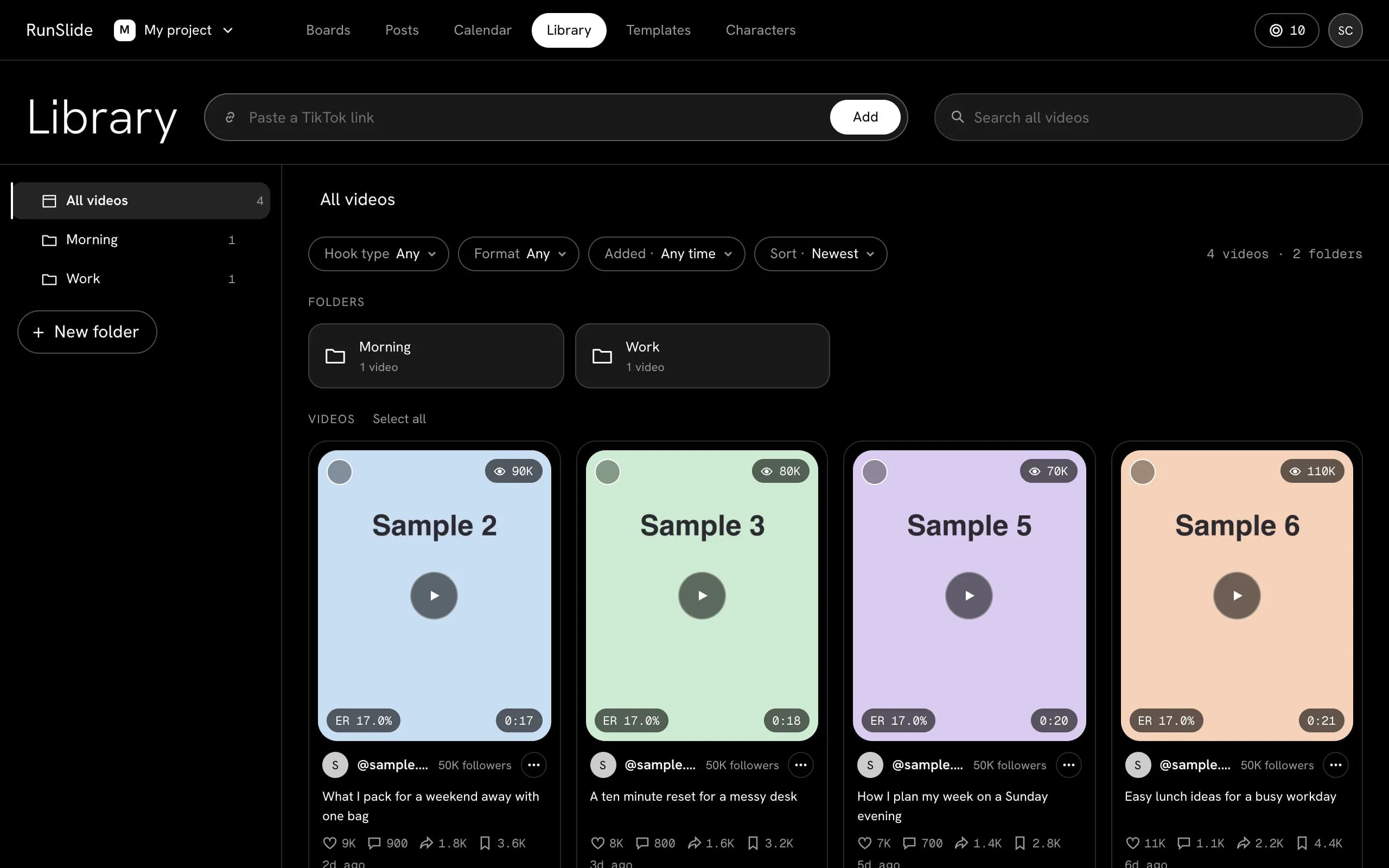
- 2Open Library, paste a TikTok link into the field and press Add.
- 3Wait for the breakdown of the video. The card shows when it is ready. If it fails, press Retry.
- 4Make a Board from the video (Create board). Press Make slideshows on the Slideshow Generator. The slideshows appear there.
- 5Download the slideshows, or save them as Posts.
How much should we read?
When you paste a TikTok link, a window asks how much of the video to read. Nothing is read or saved until you press Start reading. Cancel saves nothing.
First 3 seconds: reads the first three seconds, second by second. This is the choice you start with.
Whole video: reads the whole video scene by scene, up to 1:00. A longer video is read for its first 1:00.
Both give the hook, story steps, caption, spoken words, comments and a Shooting script. Only the length differs. Google's AI model watches the video and hears its sound. We keep the link, the cover and the reading, and delete the video file when the reading ends.
The window shows the price before you start. Whole video holds the price of one minute. A shorter video gets the rest back as soon as we see its length. If a reading fails, all the Credits come back. A reading that was delivered is not refunded, and reading more later is a new reading at the full price.
Use a current version of Chrome, Edge, Safari or Firefox on a computer.
Boards and blocks
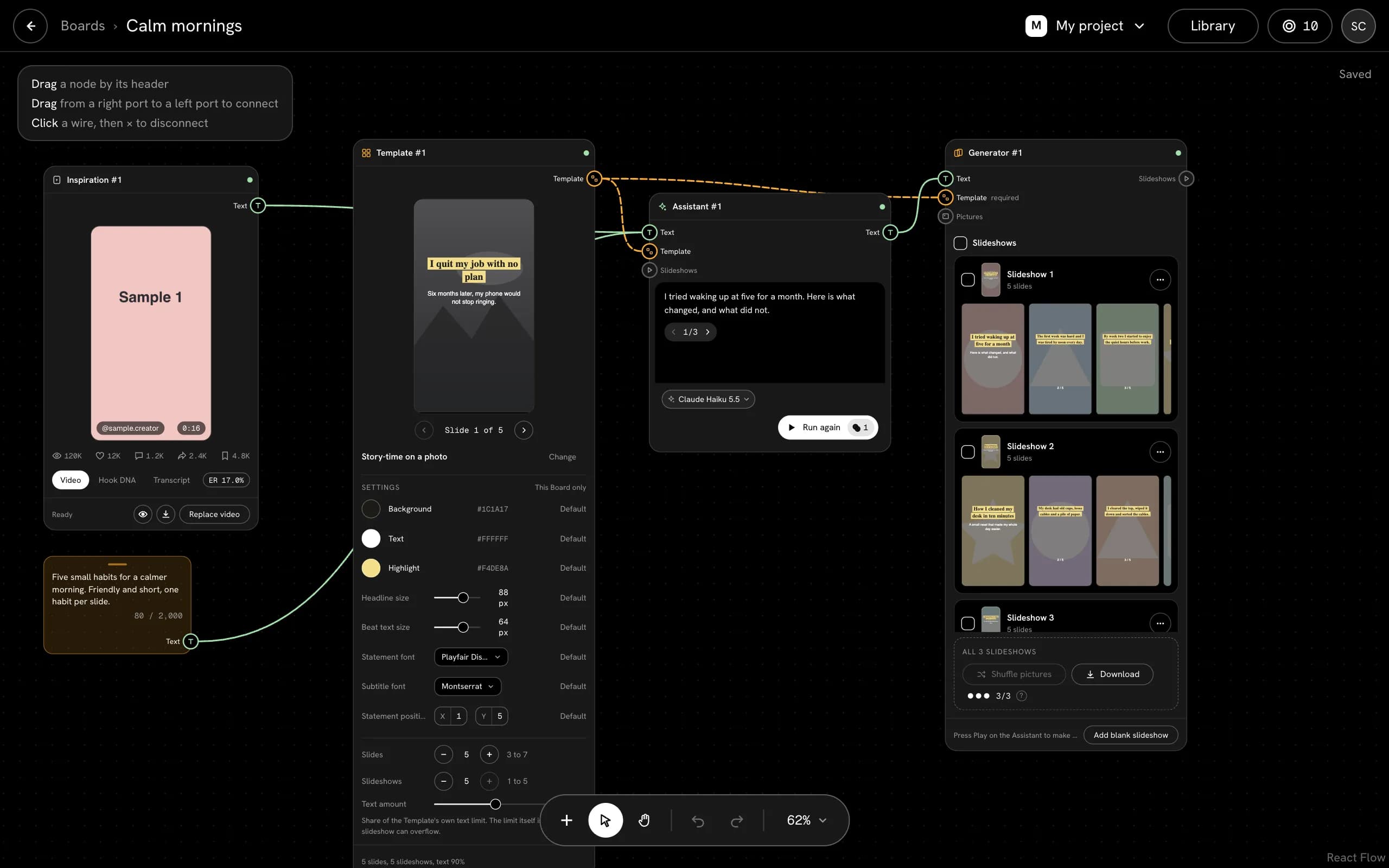
A Board is where you build. Each block on it does one job. Connect blocks with wires, then press Play on the one you want to run.
- Reference: a saved TikTok video. It tells the Assistant why the video works.
- Prompt: your own text.
- Template: the look of the slides.
- Pictures: pictures you picked or uploaded. Without them the slides get a plain background.
- Assistant: writes one text for each slideshow. It has no button of its own when a Slideshow Generator follows it.
- Slideshow Generator: one Make button writes the texts, fits them into the Template and builds the slideshows.
- Network: one for each social network. It holds the connected account and the wording.
Pictures and Credits
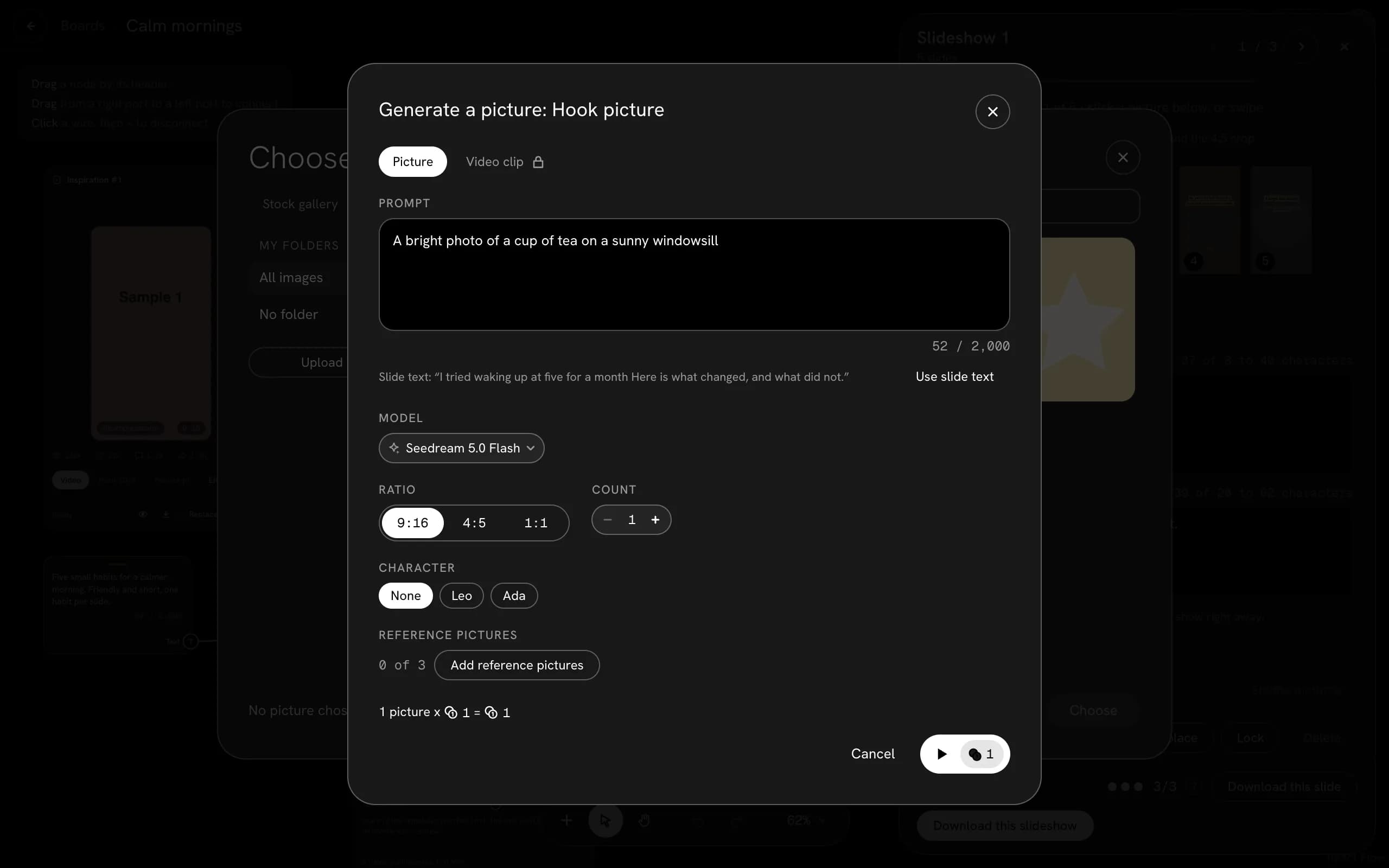
Building by hand and using your own pictures is free. AI pictures and AI writing need Credits.
You always see the exact price next to the Play button before a job starts. If a job fails, the Credits come back.
- Your monthly Credits start again at each renewal. Pack Credits do not expire, but work only while a paid plan is active.
- Monthly plan Credits first, then pack Credits.
- Credit packs are for paid plans only.
- Free accounts get 20 Credits once per Google account or confirmed email, for Standard pictures and text.
- A slideshow or Video written by AI: 2 Credits each. Captions: 1 Credit for every 4 captions. A stronger model can cost more. You see the price before you press Play.
Your balance is in the chip at the top right. It opens Plan and Credits.

All payments are final. Refunds are given only case by case. Read Refunds, and see what a Credit buys.
Download limits
Free accounts download up to 3 slideshows every 24 hours. Downloading the same slideshow again in that time does not count again. Saving Posts does not count. You can keep building and editing while you wait.
Paid plans have no download limit.
At the limit the app says Limit reached and shows when the next download opens.
Send a draft to TikTok
You need a connected TikTok account and a saved Post. Connecting TikTok needs a paid plan.
The slideshow arrives in your TikTok inbox as a draft. You open it in the TikTok app, check it and publish it yourself.
- 1Connect TikTok. On a Board, add a Social media post from the Add menu and tick TikTok. If it says "Captions only. Connect an account to post.", press Connect and approve on TikTok's page.
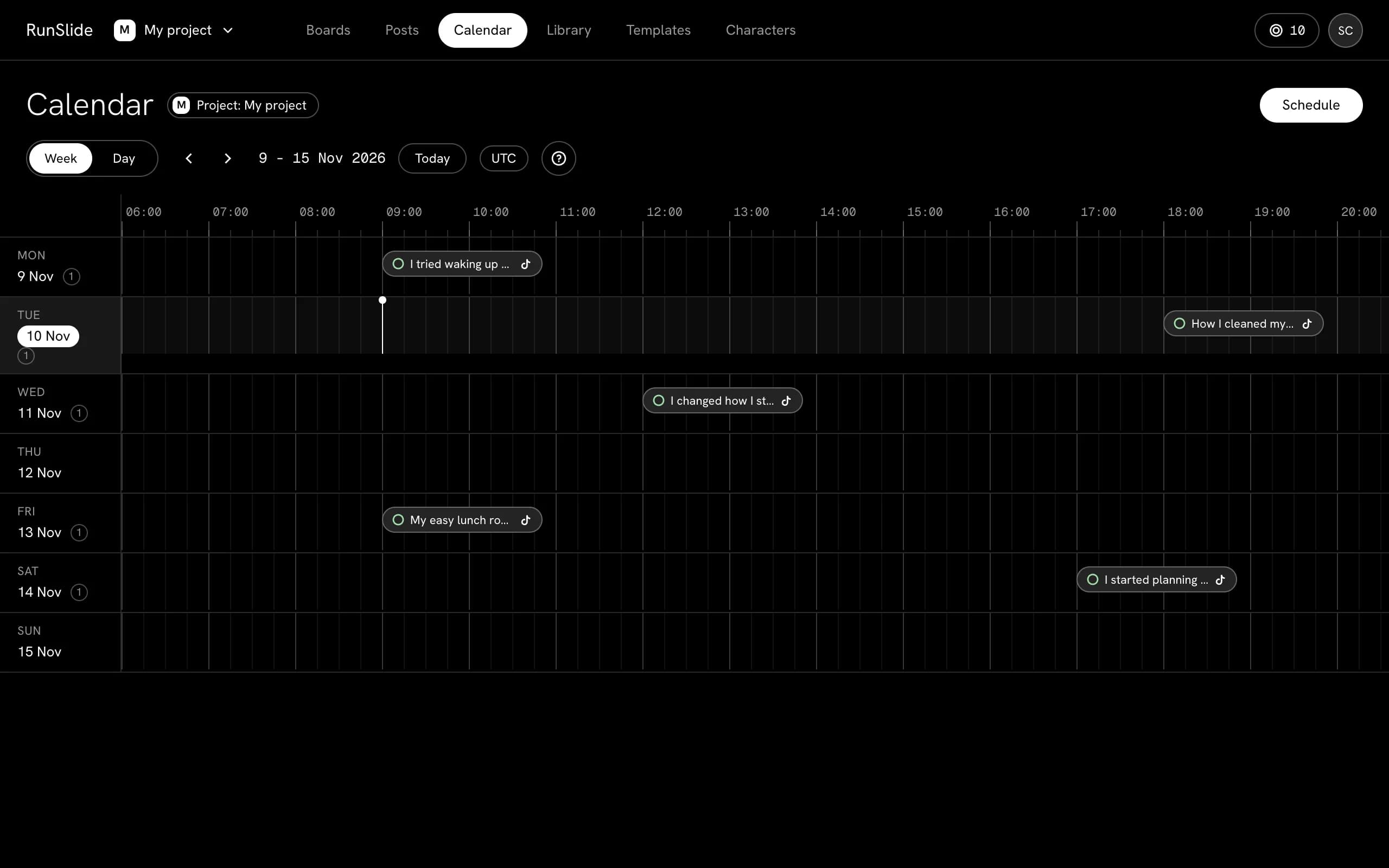
- 2Make or open a Post. Save your slideshows as Posts, then open Posts.
- 3Book it on the Calendar, or send it from the TikTok block. At the set time we send it to your TikTok app. Its status then reads Reminder sent to your TikTok app.
- 4On your phone, open the TikTok app, open your inbox and find the draft. Check it and publish it.
Drafts reach the TikTok app on your phone. They do not appear in TikTok Studio on a computer.
TikTok allows only a limited number of waiting drafts at a time. A post over the limit waits for the next window.
- Instagram - coming later
- Facebook - coming later
- Threads - coming later
If something goes wrong
| Message | What it means | What to do |
|---|---|---|
| This doesn't look like a TikTok video link | The link is not the address of one TikTok video. | Copy the link of a single video from TikTok and paste it again. |
| Couldn't read this video: it may be private or deleted | TikTok did not let us read the video. | Open the link in a private window to check that the video is public. If it opens, press Retry. |
| TikTok blocked part of this video. Retry later | TikTok refused part of the request. | Wait a while, then press Retry. |
| TikTok changed how this page looks. Caption and cover were kept | We could read the caption and the cover, but not the rest. | Use what was kept, or try another video. |
| Photo post: there is no video to read frames from | The link is a photo post, so there are no video frames to look at. | The caption and cover still work. Use a video link to read frames. |
| Not enough credits | The job costs more Credits than your balance. | Press Get more Credits, or open Pricing. Credits come back when a job fails. |
| Limit reached | A Free account has used its downloads for now. | Wait for the time the app shows, keep building by hand, or change plan in Pricing. |
| Not enough downloads | Download all needs more downloads than you have left. | Choose fewer slideshows. |
| Captions only. Connect an account to post. | The TikTok part of the Social media post has no connected account. | Press Connect on it and approve on TikTok's page. |
| The draft is not in TikTok | Drafts go to the TikTok app on your phone. | Open the TikTok app on your phone and check the inbox. Drafts do not show in TikTok Studio on a computer. Check that the app is up to date and that you are logged into the connected account. |
| I cannot sign in | Sign-in uses your Google account. | Press Continue with Google and pick your account. If it still fails, write to [email protected]. |
Your data
What we keep, how to delete it and which AI companies see your work:
Still stuck
Write to [email protected]. We aim to reply within 2 working days. Tell us the page you were on and what you pressed.